
Built for WAEC, NECO & JAMB
Know what to study next.
Turn practice into understanding.
Give your next study session
a clearer direction.
Free to join · Invitations as spaces become available
MEET YOUR STUDY SPACE
Everything you need.
A little more connected.
Build a practice session. Make time for it. Keep useful ideas close. Take a look inside the actual desktop app.
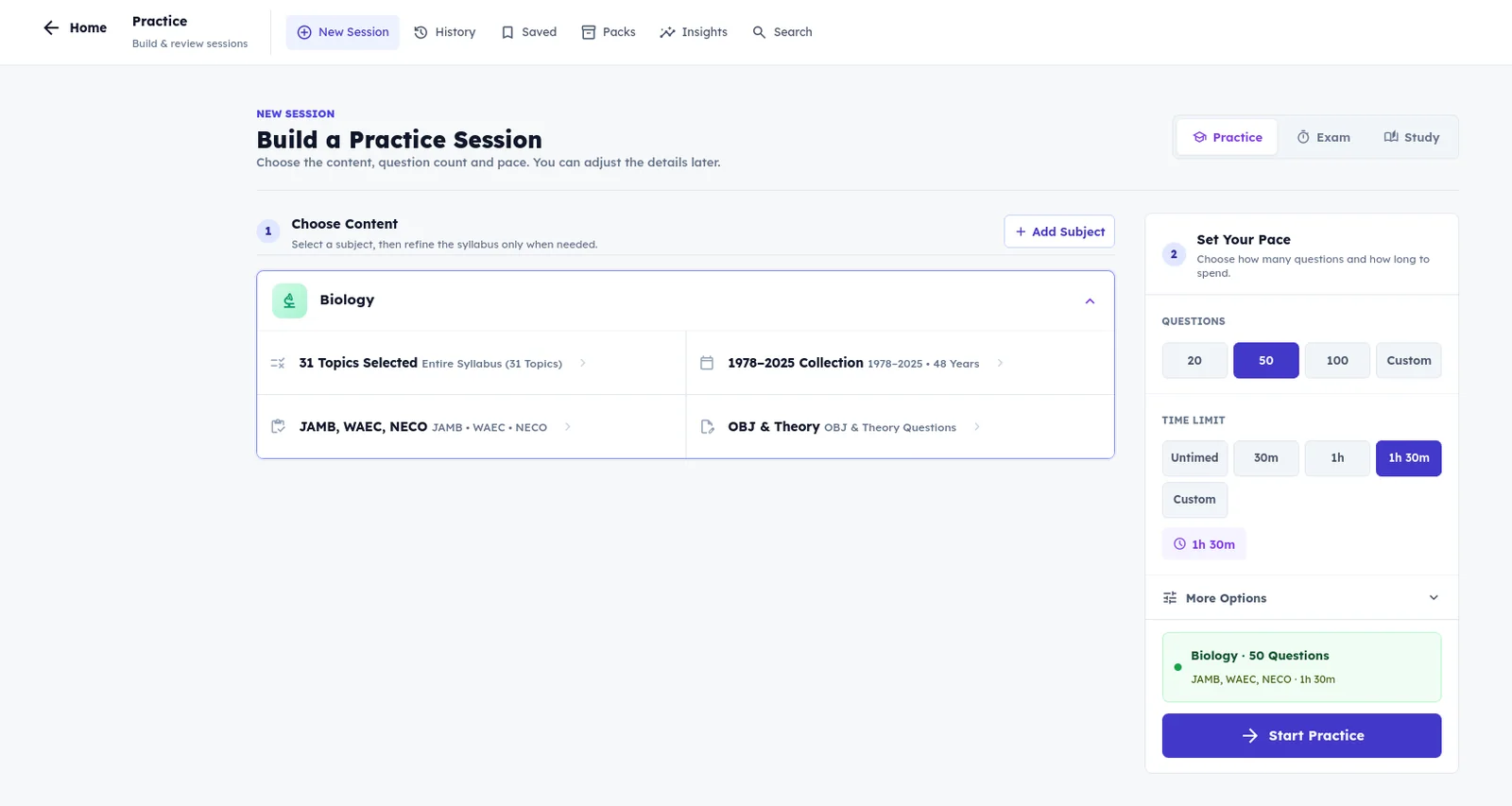
Build a session around your subject, exam, topics and available time.
Actual desktop app capture · Interface may evolve before release.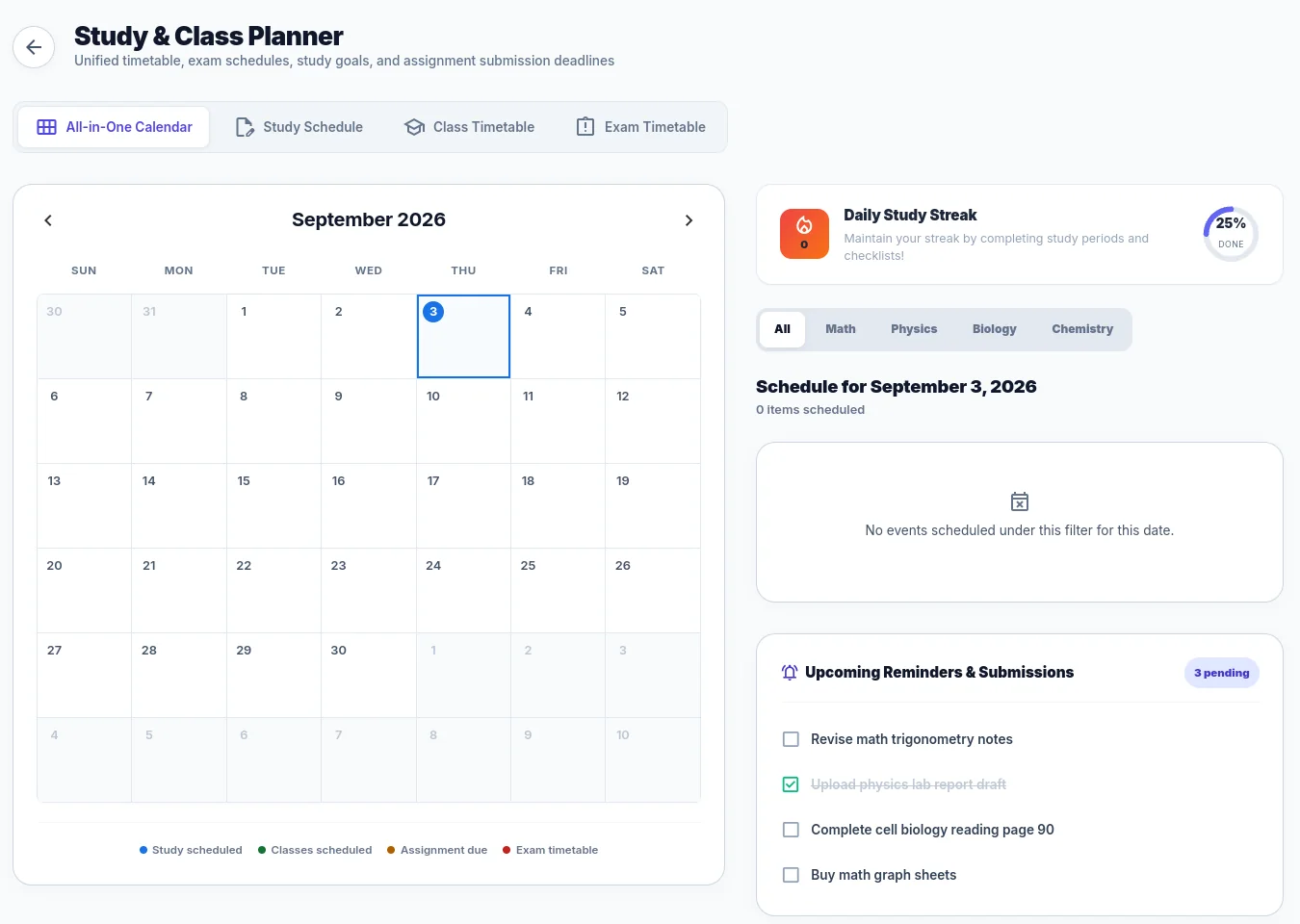
Bring your study sessions and school timetable into one view.
Actual desktop app capture · Interface may evolve before release.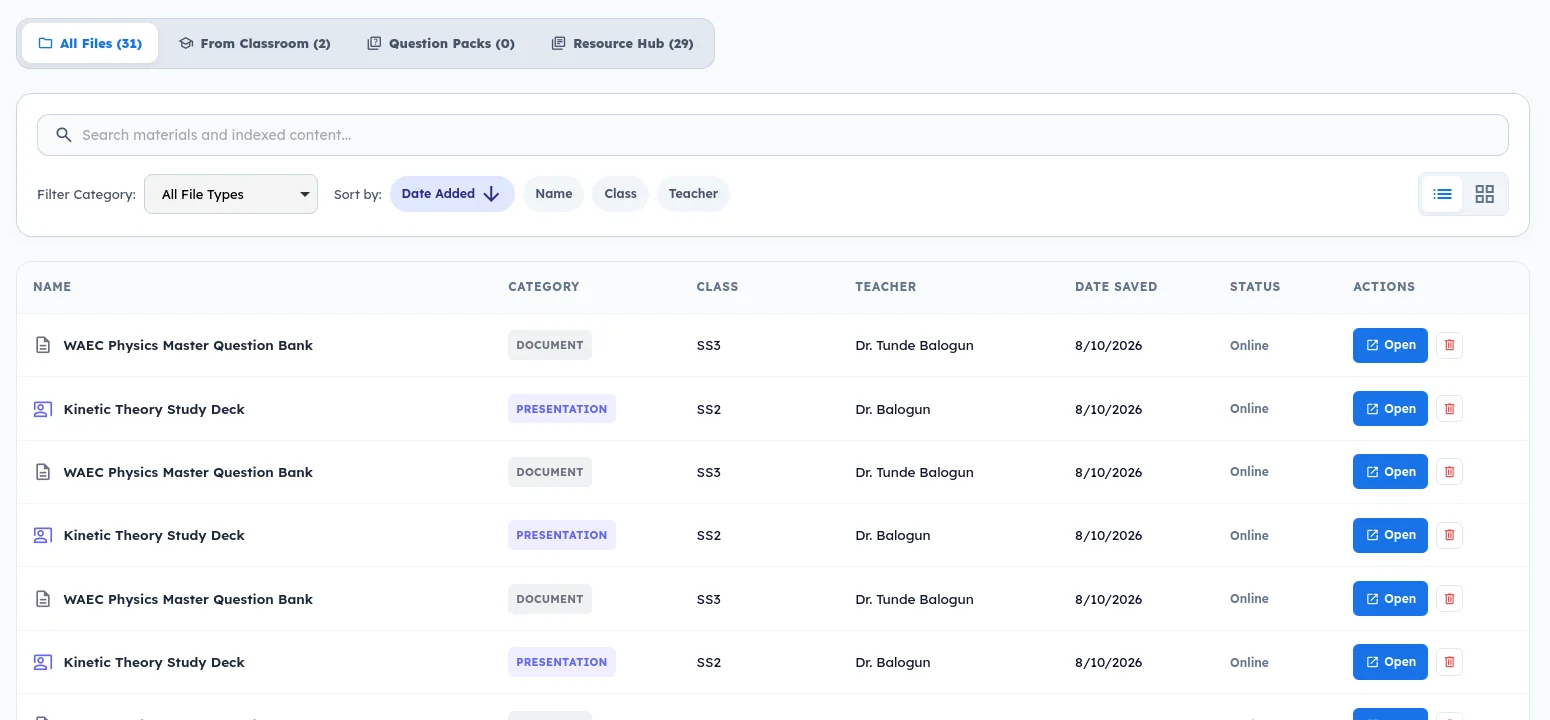
Find the learning resources you want to return to.
Actual desktop app capture · Interface may evolve before release.THOUGHTFUL TOOLS. ONE STUDY SPACE.
The right tool.
For your next step.
Start with a sample question, or explore the tools around it. Choose what you want to see.
Make every attempt useful.
Choose the content and pace that suit your session. See what you understand, then work through the reasoning behind each answer.
Explore practiceWhich gas contributes to acid rain?
Choose an answer to see the explanation.
Your explanation appears here.
LEARNING, WITHOUT THE LOADING
A weak connection
shouldn’t stop a good session.
Install your learning content once. Keep core practice, saved revision and local progress close, even when the internet has other plans.
How offline study worksAccount setup, content downloads and connected services need internet access.
YOUR PREPARATION. YOUR PEOPLE.
Different ways to help
the same learner move forward.
Own your preparation.
A focused learning space, whether you study on your own, with a tutor or through a school.
ExploreFor parentsSupport with understanding.
A planned experience for better conversations about progress, consistency and the next step.
ExploreFor schoolsMake feedback more useful.
Explore the planned connection between classroom work and independent exam preparation.
ExploreGood ideas grow through good conversations.
Help shape Cognium with the students around you.
Which devices will Cognium support?
The individual desktop beta is planned for Windows and Linux. Mobile availability and final system requirements will be announced separately; this website is a product preview, not the study app.
Do I need to join through a school?
No. The individual experience is for students and independent exam candidates, including learners studying on their own or with a tutor.
What is included in early access?
The list is for launch updates and invitations as spaces become available. Features, availability and pricing will be confirmed before public release.
Does Cognium work offline?
Once learning content is installed, core practice, saved revision and local progress are designed to remain available offline. Account setup, content downloads, AI and connected services require internet access.
How much will Cognium cost?
Pricing will be announced before public launch. Join early access to hear first.
MAKE YOUR EFFORT COUNT
Your next chapter starts with a little direction.
Explore early access for WAEC, NECO and JAMB. Device support, invitations and pricing will be confirmed before release.
Free to join · Invitations as spaces become available